✦ For Project Managers & Programme Coordinators

Your logframe and
your DIP are finally
speaking the same language.

MetriqOS auto-builds your Implementation Plan from your logframe. Seven views. Live budget tracking. TriPulse™ early warning. Your project doesn't wait for a quarterly report to tell you something is wrong.

metriqos.net · Girls' Education Programme · DIP — Gantt View
Project DIP — Gantt view
TriPulse™
Know a project is in trouble
in March. Not June.
TriPulse™ tracks three independent axes — time elapsed, budget burned, beneficiaries reached — and plots them as a single triangle. An asymmetric shape is visible in the platform before any quarterly report would catch it.
● On track
Time elapsed Budget Beneficiaries
50%
Time
48%
Budget
52%
Reach
⚠ Needs attention
Time elapsed Budget Beneficiaries
50%
Time
65%
Budget
35%
Reach
The asymmetric triangle above is visible in MetriqOS in March. The quarterly report would surface it in June — three months and a significant portion of budget later. TriPulse™ updates continuously as actuals are recorded.
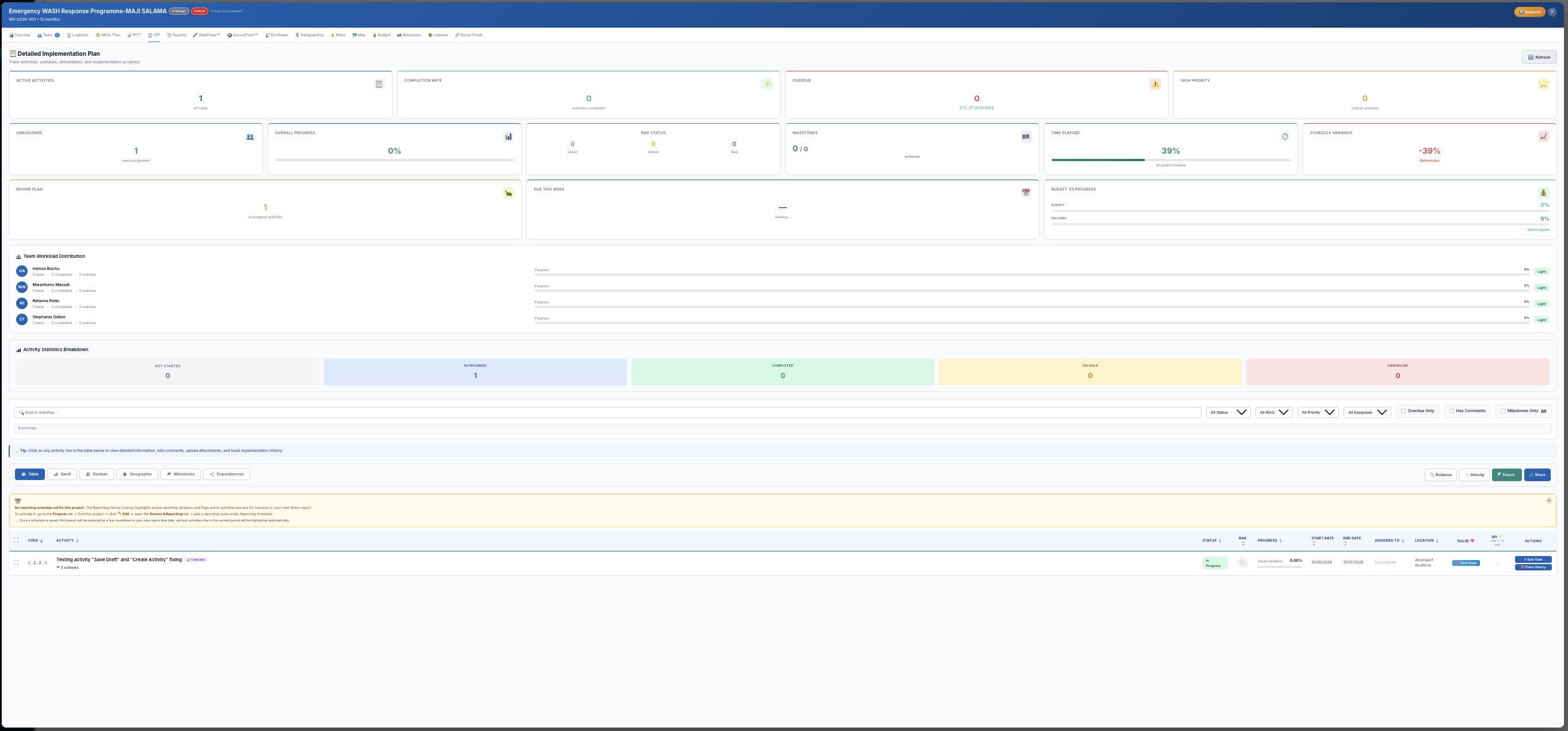
DIP — Detailed Implementation Plan
Seven views of the same project.
Because "on track" means different things depending on what you're managing right now. Switch views without switching tools.
Gantt — Timeline planning
Drag-and-drop timeline view of all activities. Dependencies, delays and overlaps visible at a glance. Updates when the logframe changes.
Auto-generated from logframe activities — no copy-pasting
Drag to reschedule; TriPulse™ recalculates in real time
Colour-coded by status: on track / delayed / at risk
metriqos.net · DIP · Gantt View
DIP Gantt view
Kanban — Workflow boards
Move activities across stages: To Do → In Progress → Under Review → Complete. Assign owners, set due dates, track blockers.
Activity cards carry budget and indicator linkage
Comments on cards create audit-trail notes
Filter by responsible team member or output
metriqos.net · DIP · Kanban View
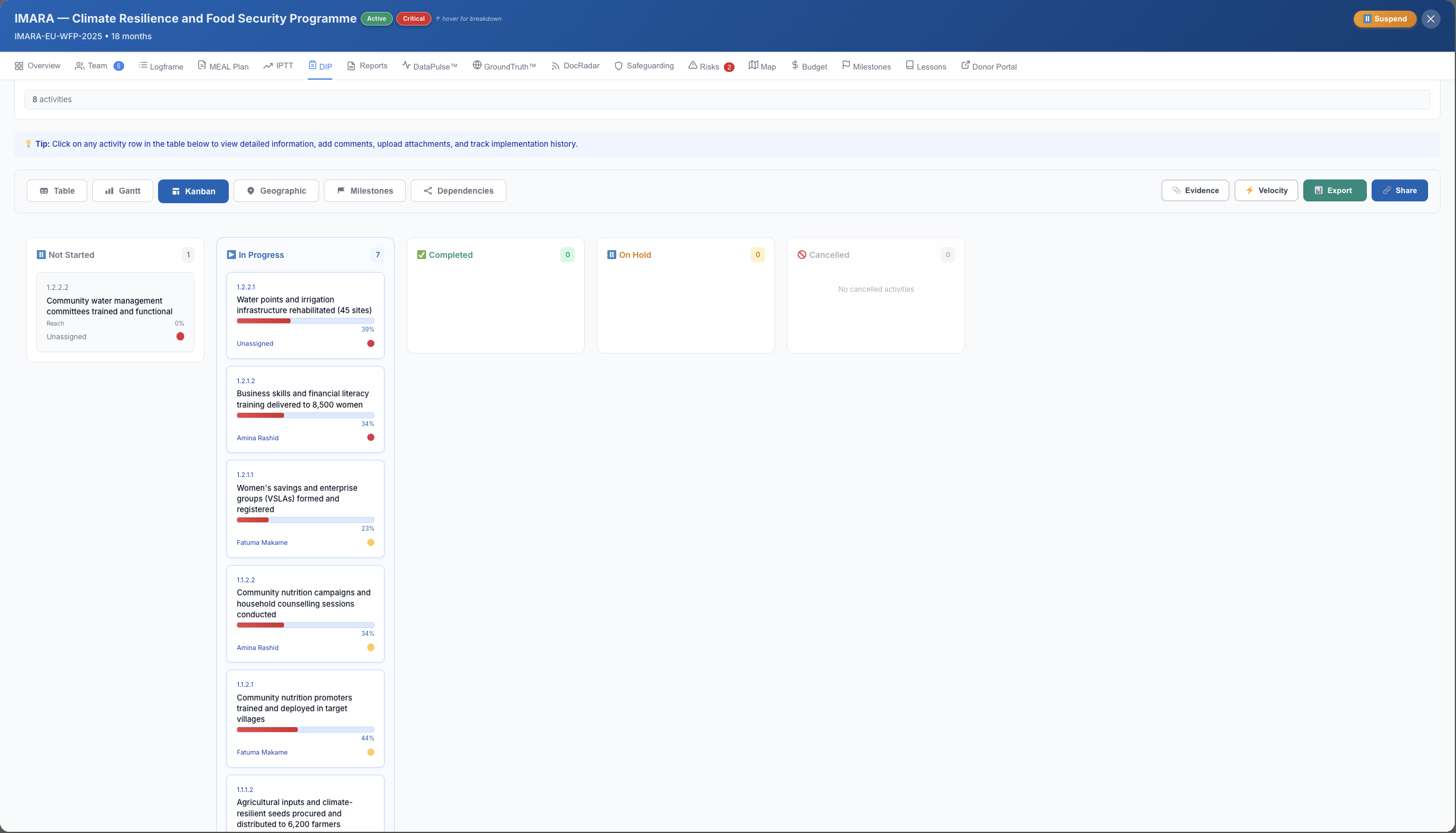
DIP Kanban view
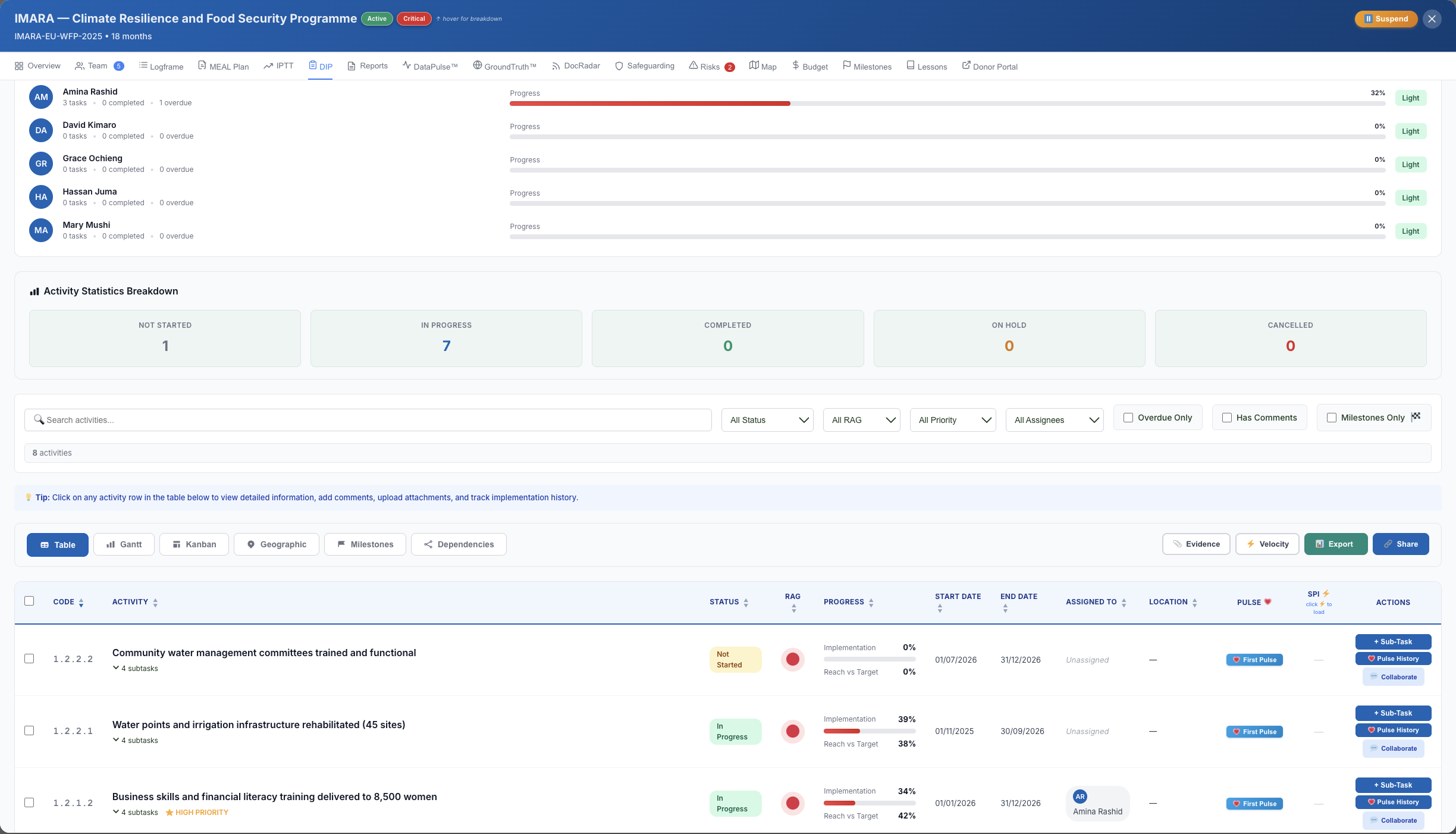
Table — Structured data entry
Spreadsheet-like rows for every activity. Bulk-edit start dates, budgets, outputs and milestones. Best for reporting periods.
Export-ready format matching donor reporting templates
Inline editing — no modal pop-ups
Sort and filter by output, responsible unit, or status
metriqos.net · DIP · Table View
DIP Table view
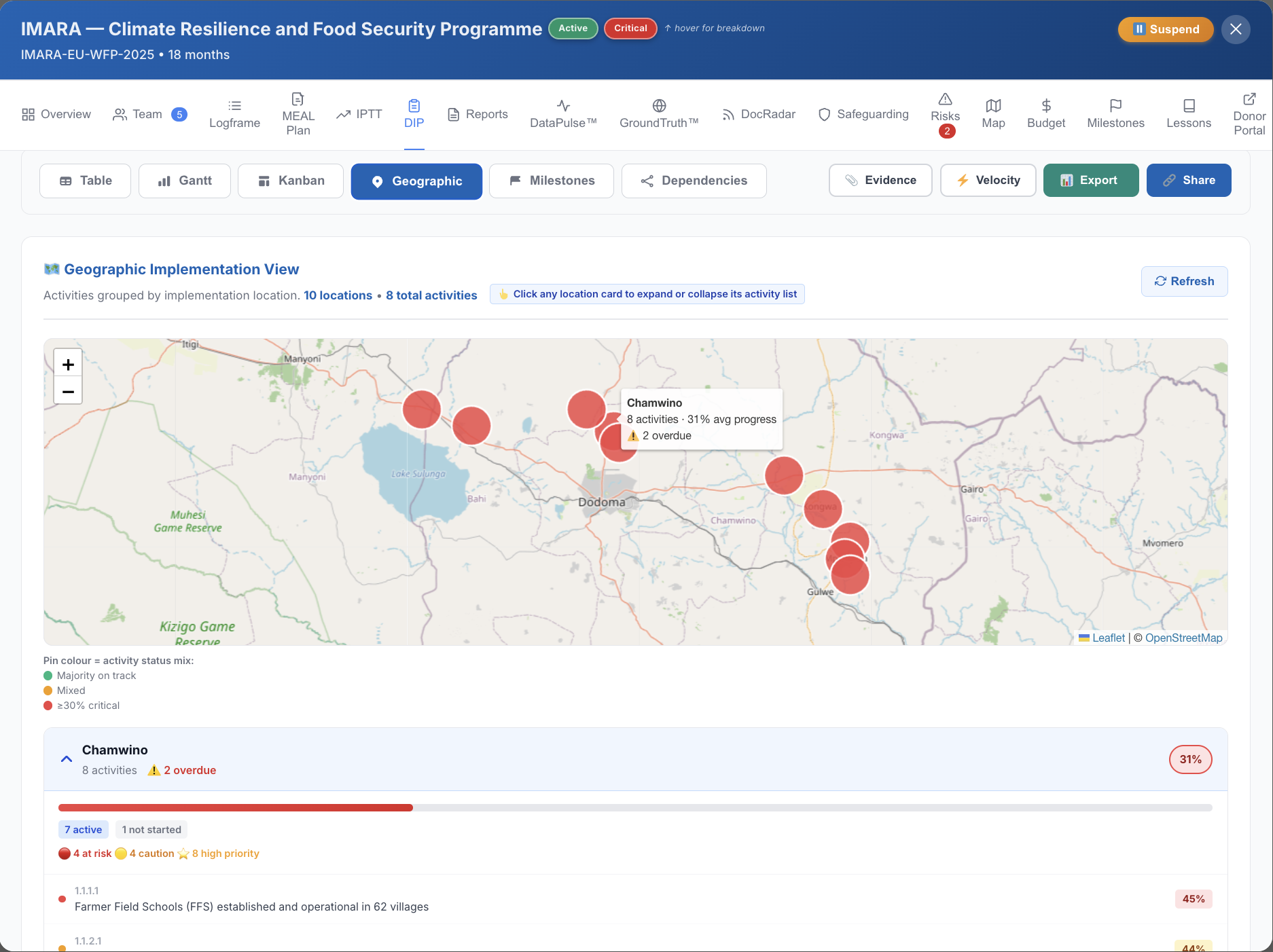
Geographic — Map view
Plot activities and field data collection sites on a map. Visualise beneficiary coverage by district, region or country.
GPS coordinates from GroundTruth sync automatically
Filter by indicator or output to see geographic reach
Exportable as a PNG for donor reports
metriqos.net · DIP · Geographic View
DIP Geographic view
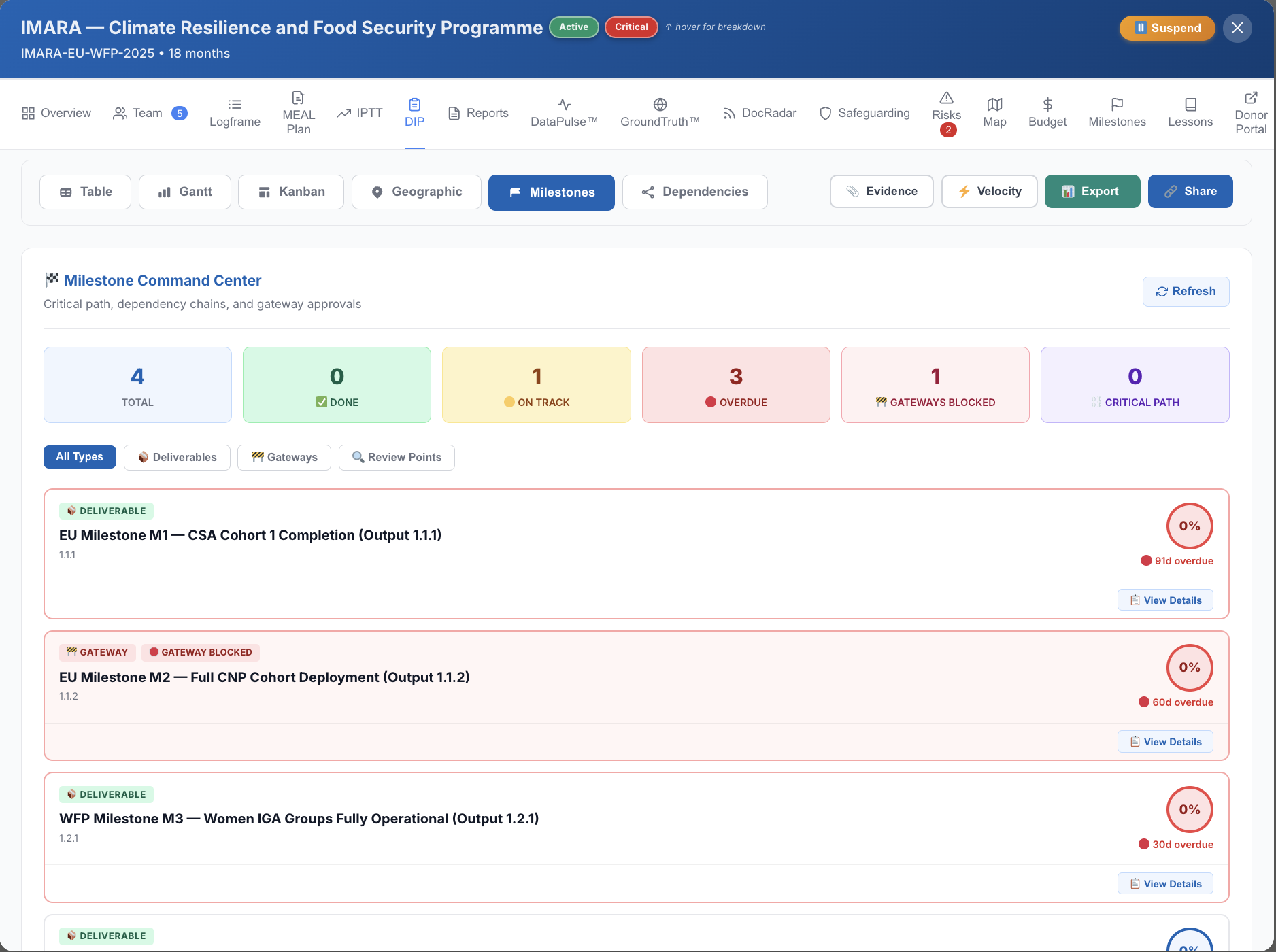
Milestones — Key deliverables
Strip away the detail. See only the critical milestones — contractual deliverables, disbursement triggers, reporting deadlines.
Link milestones to donor disbursement schedules
Automated reminders 7 and 2 days before each deadline
Donors can see milestone status in the Donor Portal
metriqos.net · DIP · Milestones View
DIP Milestones view
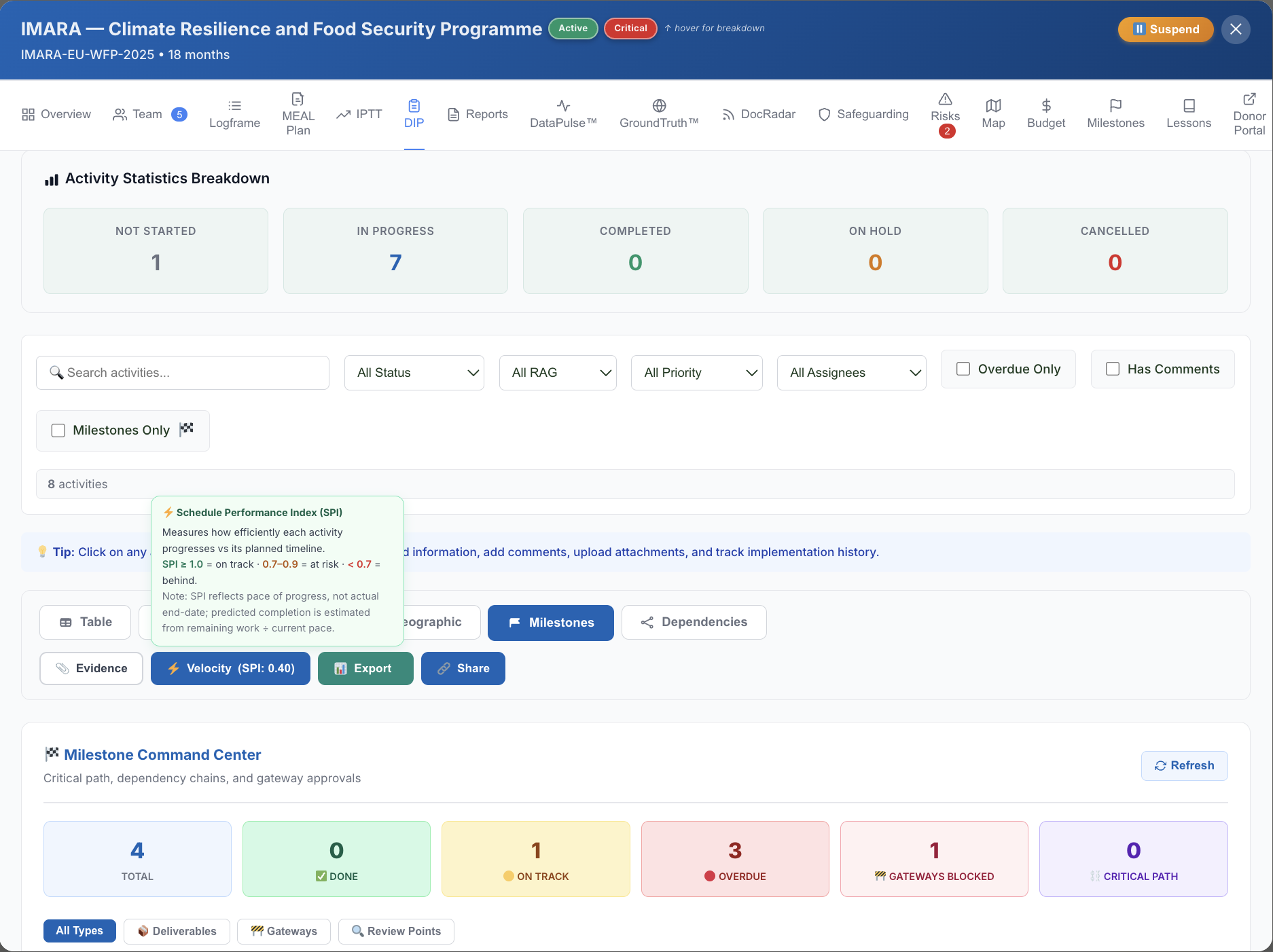
Velocity — Activity completion rate
Track how fast activities are closing vs. how fast they should be. Velocity drops before the quarterly report catches a delay — visible here.
Running average of weekly completion rate
Projected completion date based on current velocity
Feeds directly into TriPulse™ time-elapsed axis
metriqos.net · DIP · Velocity View
DIP Velocity view
Evidence — MoV linkage
Every activity linked to its Means of Verification. DocRadar tracks MoV coverage and flags gaps — before the donor asks for them.
MoV coverage percentage per output and indicator
Attach documents, field photos, and reports directly
Feeds into DataPulse™ Evidence Density score
metriqos.net · DIP · Evidence View
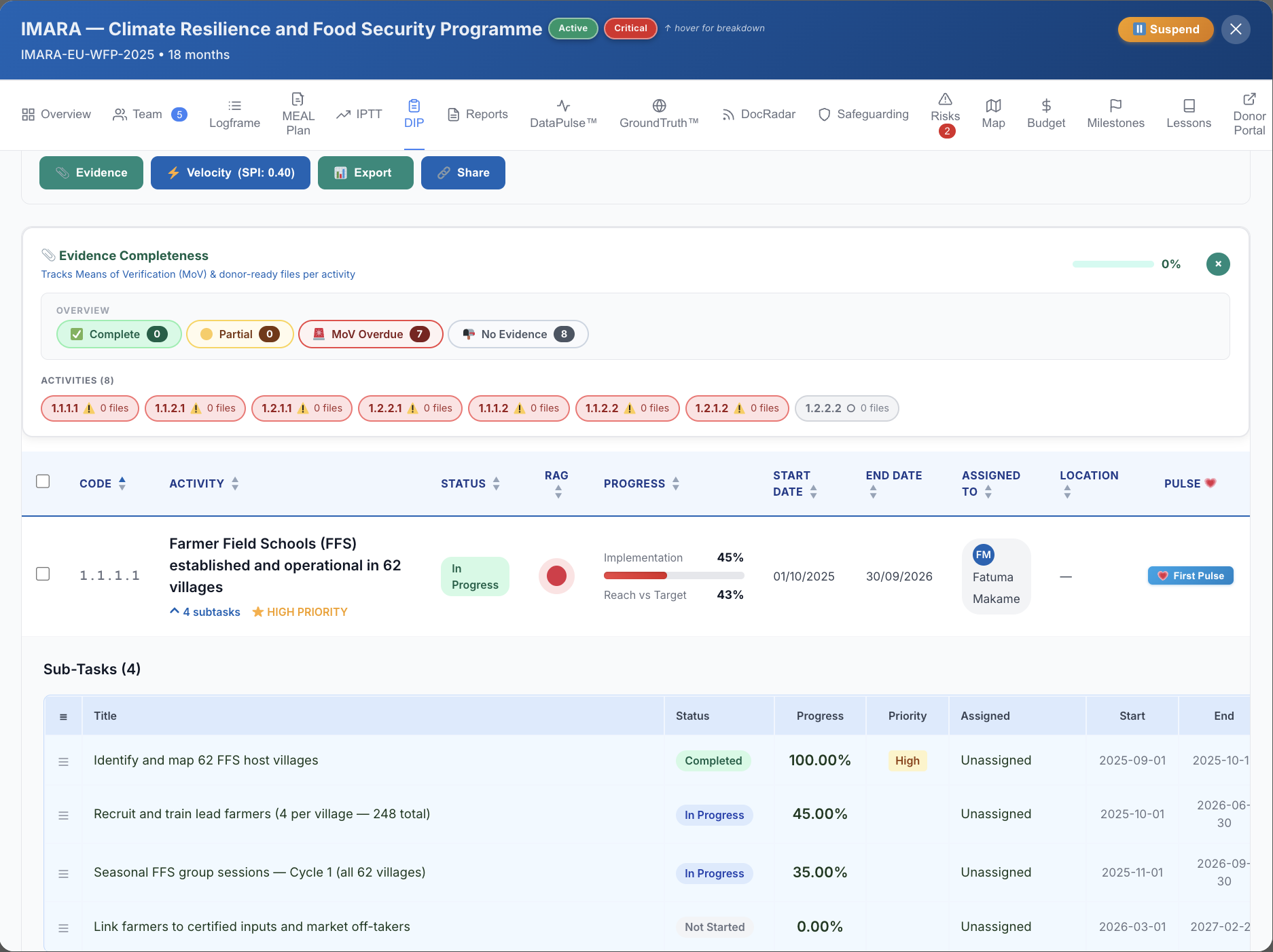
DIP Evidence view
Auto-DIP
Your logframe is the source of truth.
DIP follows automatically.
You build your logframe once. MetriqOS generates your Implementation Plan from it — outputs, activities, indicators, responsible units. Change the logframe; the DIP reflects it. No copy-pasting between documents.
📋
Logframe
Goals · Outcomes · Outputs · Activities · Indicators
📅
DIP (7 views)
Auto-generated timeline, Kanban, milestones and budget
TriPulse™
Live health signal from actuals against the plan
📊
Donor Portal
Donor sees progress in real time — no PDFs
💡
When you add an activity to your logframe, MetriqOS creates the corresponding DIP row, assigns it to the right output, and links it to the relevant indicator. The DIP has never been a separate document.
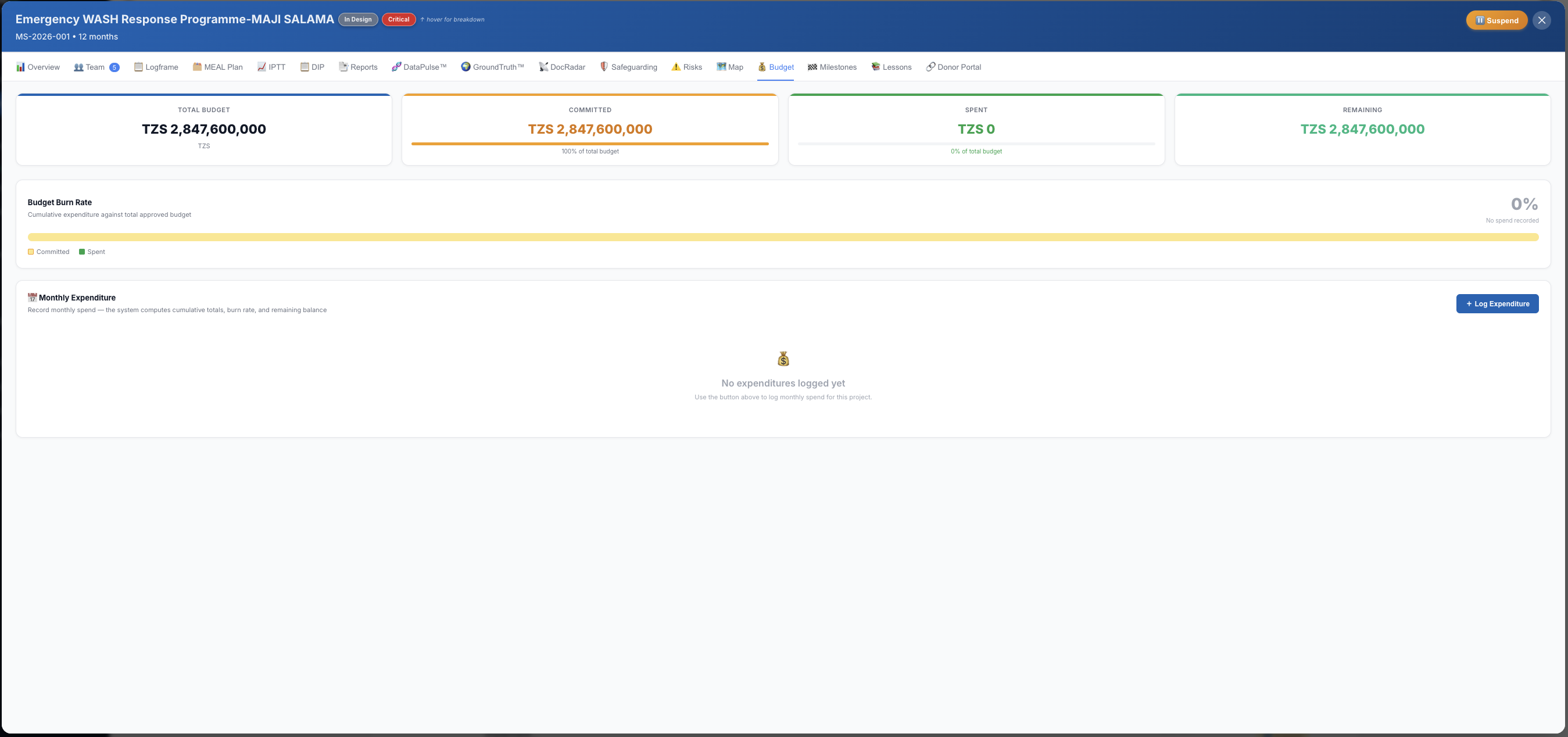
Budget
Record actuals once.
TriPulse™ does the rest.
MetriqOS is not an accounting package. You record monthly actuals (imported from your accounting software or entered manually), and TriPulse™ calculates your burn rate, variance, and projected overspend — without formulas.
💰
Budget vs. actuals tracking
Monthly burn rate calculated automatically. Variance surfaced at activity, output and project level.
⚠️
Overspend alerts
When budget consumed exceeds the TriPulse™ threshold, a flag appears — in March, not at year-end.
📤
Export for donor reporting
Budget summaries export to Excel and PDF in donor-friendly formats, ready for submission.
metriqos.net · Girls' Education Programme · Budget
Project budget screen
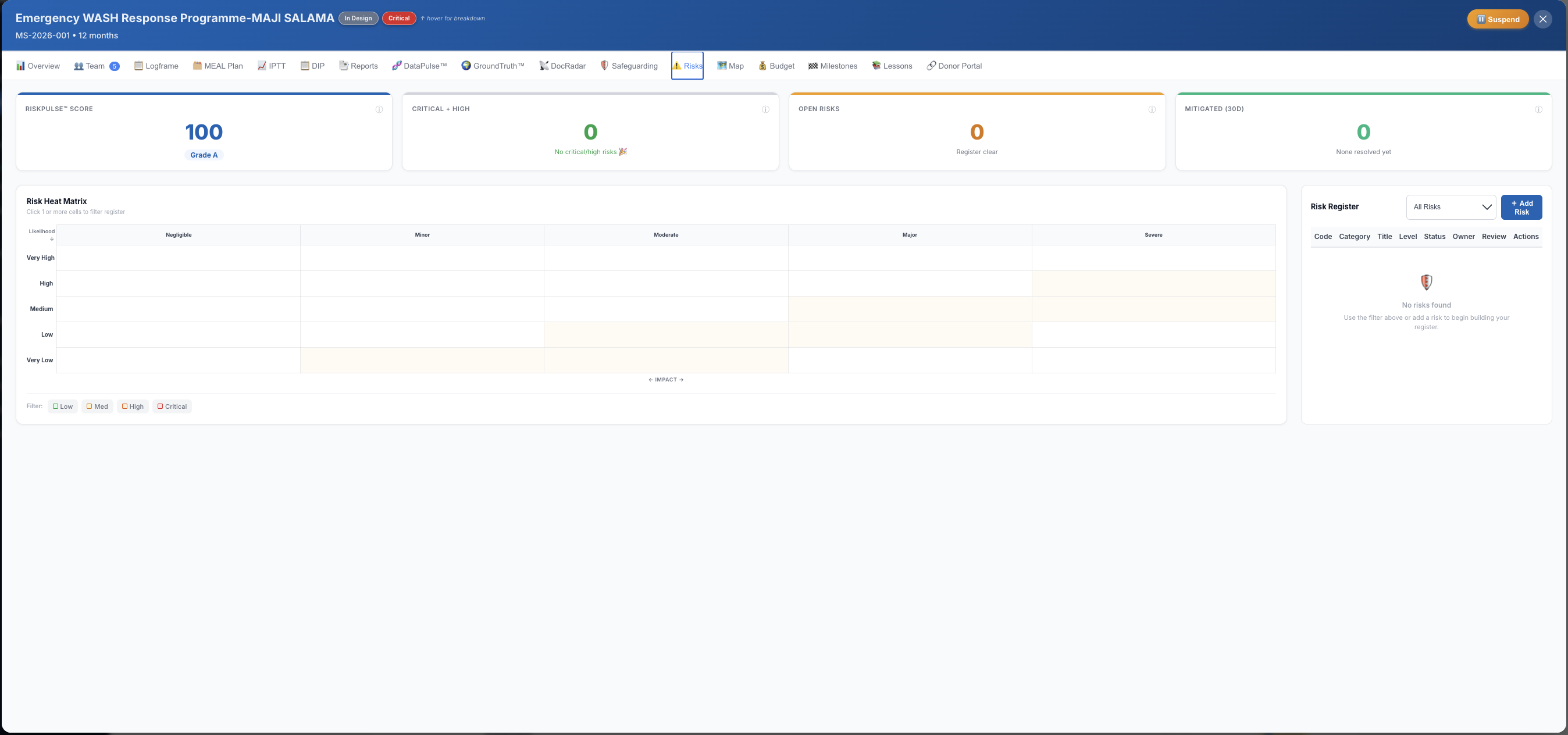
Risk Register
Risks flagged early.
Not in the post-mortem.
RiskPulse™ tracks every risk with probability, impact, mitigating actions and ownership. Escalation workflows notify the right person before a risk becomes an incident.
🎯
RAG-rated risk register
Every risk scored by probability × impact. Red risks surface on the dashboard automatically.
🔔
Escalation workflow
When a risk moves to Red, the designated risk owner is notified. Full escalation trail logged.
🛡️
Safeguarding module
PSEA incident reporting, case tracking and follow-up workflow built in. Separate from the main risk register.
metriqos.net · Project · Risks
Risk register screen
Your project doesn't wait for a
quarterly report to go wrong.
45 days. Full platform access. DIP, TriPulse™, Budget, Risks, DataPulse™. No credit card.
Get Started Book a Demo →